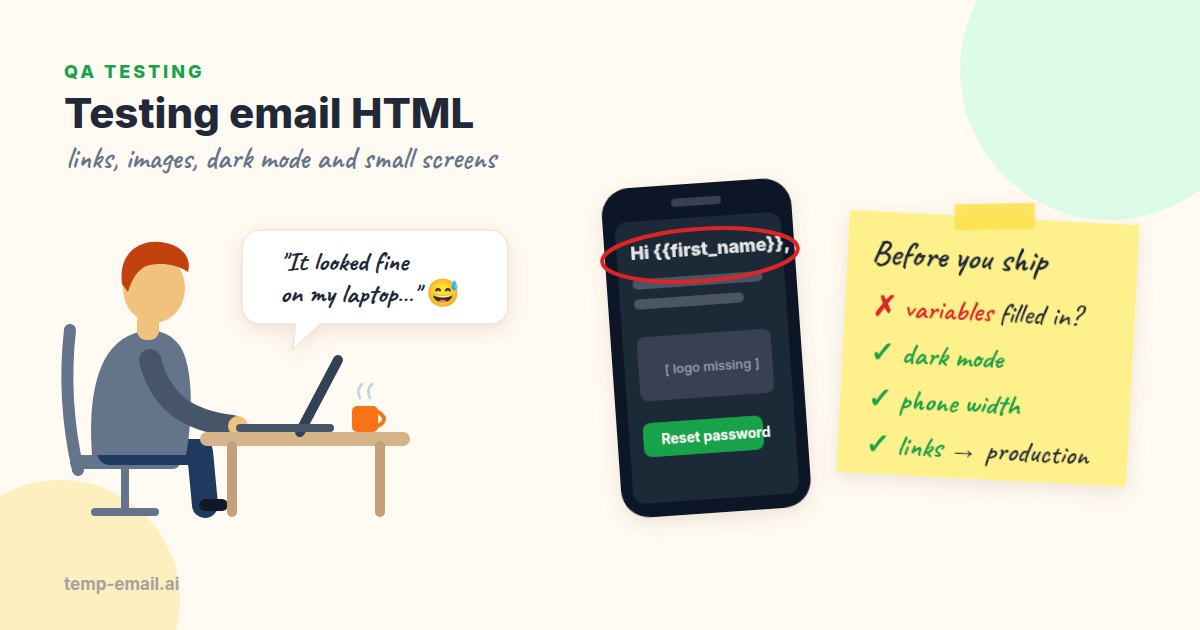
Say your team runs a bookshop app, and the "Your order has shipped" email just went out from staging for a final check. The tracking button points to http://localhost:3000/orders/1042. The logo is a broken image icon. And the greeting reads "Hi {{first_name}}," because this test customer checked out as a guest and has no first name.
None of these would fail a unit test that renders the template, because the template rendered fine. They appear when real data, real configuration and a real mail client meet. So the most useful email test looks at the email that actually arrives, not at a preview.
Start with the real email
Template previews in your editor or your provider's dashboard skip three things: your environment variables, your real data, and whatever happens to the message on its way out. Providers rewrite links for click tracking, inline CSS, and sometimes generate the plain-text part for you. You want to test the result of all that.
There are two good places to look, and they answer different questions. For a quick manual pass, open temp-email.ai in a new tab, copy the address, and trigger the email from staging. It usually arrives within seconds, which proves the message left through your real email provider and crossed the internet, and it renders the HTML much as a webmail client would. For the client-specific checks further down, add your own Gmail and Outlook test accounts.
For automated runs, point your app's SMTP settings at Mailpit, a mail catcher you run next to your tests. It accepts every message on port 1025, delivers none of them to the outside world, and shows what it caught in a web UI and a REST API on port 8025. A suite can send hundreds of emails per run without bothering anyone:
# Mailpit: SMTP on 1025, web UI and REST API on 8025
docker run -d --name mailpit -p 1025:1025 -p 8025:8025 axllent/mailpit

# Point the app under test at it (variable names depend on your framework)
export SMTP_HOST=localhost SMTP_PORT=1025

# ...trigger the email, then find it with a search (newest first)
curl -sG http://localhost:8025/api/v1/search \
  --data-urlencode 'query=to:[email protected] subject:"has shipped"' \
  --data-urlencode 'limit=1' | jq '.messages[0] | {ID, Subject, Created}'

# Read the newest message; HTML and Text hold the two bodies
curl -s http://localhost:8025/api/v1/message/latest | jq '{Subject, HTML, Text}'
Mailpit also has built-in HTML compatibility and link checks, which are worth a look. What it can't tell you is whether real mail arrives: it never touches your provider, your DNS or anyone's spam filter. So keep both. Mailpit for every automated run, a real inbox for a few manual checks before each release.
1. Links: broken, or pointing at the wrong place
Links are where most real email bugs live, because they are built from configuration that differs per environment. The ones we see again and again:
- Localhost or internal hosts:
http://localhost:3000,http://10.0.4.12,http://api-internal:8080. - The wrong environment: a staging email that links to production. The token only exists in the staging database, so the user sees "This link is invalid or has expired".
- A missing base URL:
https://undefined/reset?token=...whenAPP_URLisn't set in one environment. - Plain http where the site redirects to https and drops the query string, token included.
- Placeholder links:
href="#"on the "Contact support" link that someone meant to fill in later. - Tracking redirects that work in production but point at a tracking domain staging doesn't have.
By hand, hover over every link and read the URL in the status bar before clicking. It takes a minute and catches most of the list. The automated check further down catches the rest on every run.
2. Images: absolute URLs, HTTPS and alt text
Mail clients download images from your server when the email is opened, so a relative path like /img/logo.png has nothing to be relative to. Every image needs an absolute https:// URL on a host that will still exist next month. Staging image URLs break quietly once staging is rebuilt.
Many clients block or proxy images until the reader allows them, and Outlook on the desktop blocks downloads by default for most senders. Read your email with images off and ask: does it still make sense? That means:
- Every
<img>has analtattribute. Meaningful images get real text (alt="Bookshop"for the logo); spacers and decorations getalt="". - Important content is text, not part of an image: the order number, the one-time code, the button label.
- Images have
widthandheightset, so the layout doesn't jump when they load. - File sizes are reasonable. A 3 MB banner on a phone with weak signal is a slow, expensive email.
3. Dark mode
Mail apps handle dark mode in three different ways. Some leave your email alone. Some apply your own dark styles if you provide them (Apple Mail supports the prefers-color-scheme media query). And some invert your colors automatically, partly or fully, which is what the Gmail and Outlook apps do in various forms. You can't control all of them, so aim for an email that survives each one.
The bugs that show up most:
- The disappearing logo: a transparent PNG with dark text on a dark background. Give the logo a light background or padding, or add a light outline to the artwork.
- Half-inverted buttons: the client darkens the button background but leaves your dark text, so the label vanishes. Test the main call-to-action in every client you care about.
- Text over a background image that a client drops, leaving white text on a white page.
Declaring that your email supports both schemes, and giving clients that listen a dark version, looks like this:
<head>
  <meta name="color-scheme" content="light dark">
  <meta name="supported-color-schemes" content="light dark">
  <style>
    @media (prefers-color-scheme: dark) {
      .email-bg   { background-color: #121212 !important; }
      .email-text { color: #e8e8e8 !important; }
      .logo-light { display: none !important; }
      .logo-dark  { display: block !important; }
    }
  </style>
</head>
Then switch your phone to dark mode and open the same email in each app you support. For which CSS works where, Can I email is the reference the email community relies on.
4. Mobile width
A lot of transactional email is read on a phone, often seconds after someone tapped "Sign up" on that same phone. The common problems are easy to spot once you look:
- A fixed-width 600px table that forces sideways scrolling. Use
width: 100%withmax-width: 600px. - Body text under 14px. Aim for 16px.
- Buttons shorter than about 44px, or where only the text is tappable. Put the padding on the link itself.
- Long unbroken strings, such as a reset URL printed as text, that push the layout wider than the screen. Use
word-break: break-allon that element, or don't print the raw URL. - Two-column layouts that don't stack.
The quick check is to open your temp-email.ai inbox link on your phone, or narrow your browser window to about 375px. A browser can't show you how Outlook on Windows renders, though, since that uses Microsoft Word's engine. If your users live in Outlook, a screenshot service such as Litmus or Email on Acid is the right tool for that part.
5. The plain-text part
A well-formed transactional email is multipart/alternative: an HTML version and a plain-text version of the same message. Some clients, smartwatches and spam filters read the text part, and some people prefer it. It also gets less attention than the HTML, which is why it breaks:
- It is missing completely.
- It was generated from the HTML and reads as a wall of tracking URLs.
- It is out of date: the HTML template got the new
/account/verifyroute, the text template still has the old one. - The one-time code or the main link is in the HTML but not in the text.
One catch when you automate this check: Mailpit's Text field and the mailparser library's text are both filled in from the HTML when a message has no text part, so they look fine either way. The script below looks for a real text/plain part in the raw message instead.
6. Template variables that were never replaced
Every templating system has its own way of failing out loud. If any of these reach a customer, your template and your data disagree:
Hi {{first_name}},orHi {{ user.firstName }},(Handlebars, Mustache, Liquid)Hi ,andHi undefined,(the variable exists but the value doesn't)Order #null,NaN items,[object Object]*|FNAME|*or%recipient.name%(provider-side merge tags)&in a URL, from escaping the link twice
The usual causes: a guest user with no name, a variable renamed in code but not in a template stored at the provider, or a template written for one engine and rendered by another. Test with awkward data on purpose: no first name, a 40-character name, O'Brien, Zoë, 김민준 and an emoji. If the greeting survives all of those, it will survive your users.
An automated check you can run in CI
Manual checks catch design problems. A script catches regressions, every time, without anyone remembering to look. The one below reads an email from Mailpit, or from a saved .eml or .html file (handy when a bug report arrives with the email attached). Then it checks the HTML for leftover template syntax, a missing text part, images without alt text, and links that point at the wrong host or return an error. It needs Node 18 or later (for built-in fetch), runs with npx tsx, and uses mailparser to read the MIME source.
First, load the message. From Mailpit, the script waits for the newest email that matches a search, written in the same search syntax as Mailpit's web UI, and downloads its raw source. A short poll is enough, since a local catcher receives mail within milliseconds:
// check-email.ts (npm i -D tsx mailparser)
// Usage: npx tsx check-email.ts mailpit 'to:[email protected] subject:"has shipped"'
//    or: npx tsx check-email.ts saved/shipped.eml    (or a saved .html file)
import { readFile } from 'node:fs/promises';
import { simpleParser } from 'mailparser';

const MAILPIT = process.env.MAILPIT_URL ?? 'http://localhost:8025';

interface Email {
  subject: string;
  html: string;
  text?: string | null; // null: no plain-text part; undefined: unknown (bare HTML file)
}

const sleep = (ms: number) => new Promise((r) => setTimeout(r, ms));

// The raw source of the newest message matching a Mailpit search
async function fromMailpit(query: string, timeoutMs = 30_000): Promise<Buffer> {
  const deadline = Date.now() + timeoutMs;
  while (Date.now() < deadline) {
    const res = await fetch(`${MAILPIT}/api/v1/search?query=${encodeURIComponent(query)}&limit=1`);
    if (!res.ok) throw new Error(`Mailpit search failed: HTTP ${res.status}`);
    const { messages } = (await res.json()) as { messages: { ID: string }[] };
    if (messages.length > 0) {
      const raw = await fetch(`${MAILPIT}/api/v1/message/${messages[0].ID}/raw`);
      return Buffer.from(await raw.arrayBuffer());
    }
    await sleep(500);
  }
  throw new Error(`No email matching ${query} after ${timeoutMs / 1000}s`);
}

async function loadEmail(source: string, query = ''): Promise<Email> {
  if (/\.html?$/i.test(source)) return { subject: source, html: await readFile(source, 'utf8') };
  const raw = source === 'mailpit' ? await fromMailpit(query) : await readFile(source);
  const mail = await simpleParser(raw);
  // mailparser fills .text from the HTML when there is no text part, so check the source
  const hasTextPart = /^content-type:\s*text\/plain/im.test(raw.toString('latin1'));
  return { subject: mail.subject ?? '', html: mail.html || '', text: hasTextPart ? mail.text ?? '' : null };
}
Next, find every href and src and check it. Note the ONE_TIME_PATHS line: opening a verification or reset link would use up its token (and might log the test user in), so for those we check the host and leave the link alone. That is also why we don't lean on Mailpit's own link check for this: it sends a HEAD request to each link, and many web frameworks answer HEAD with the same code as GET. If your provider rewrites links for click tracking, add its tracking host to the list, or turn tracking off on staging.
const ALLOWED_HOSTS = ['staging.bookshop.example', 'cdn.bookshop.example'];
const ONE_TIME_PATHS = /\/(verify|confirm|reset-password|magic-link|unsubscribe)\b/i;
function findUrls(html: string): string[] {
const urls = new Set<string>();
for (const m of html.matchAll(/\b(?:href|src)\s*=\s*["']([^"']+)["']/gi)) {
urls.add(m[1].replace(/&/g, '&'));
}
return [...urls];
}
async function checkUrl(raw: string): Promise<string | null> {
if (/^(mailto|tel):/i.test(raw)) return null;
let url: URL;
try {
url = new URL(raw);
} catch {
return `not an absolute URL: ${raw}`;
}
if (url.protocol !== 'https:') return `not https: ${raw}`;
if (!ALLOWED_HOSTS.includes(url.hostname)) return `unexpected host ${url.hostname}: ${raw}`;
if (ONE_TIME_PATHS.test(url.pathname)) return null;
try {
const res = await fetch(url, { redirect: 'follow' });
return res.status < 400 ? null : `HTTP ${res.status}: ${raw}`;
} catch {
return `unreachable: ${raw}`;
}
}Finally, put the checks together and fail the build with a readable list:
const LEFTOVERS = /\{\{.*?\}\}|\{%.*?%\}|\*\|[A-Z_]+\|\*|%recipient\.\w+%|\bundefined\b|\bnull\b|\[object Object\]|\bNaN\b/;

async function main() {
  const [source, query] = process.argv.slice(2);
  const email = await loadEmail(source, query);
  const html = email.html;
  const problems = new Set<string>();

  const visible = html.replace(/<(style|script)[\s\S]*?<\/\1>/gi, '').replace(/<[^>]+>/g, ' ');
  for (const text of [email.subject, visible, email.text ?? '']) {
    const hit = text.match(LEFTOVERS);
    if (hit) problems.add(`template leftover: "${hit[0]}"`);
  }
  if (email.text === null) problems.add('no plain-text part');
  for (const img of html.match(/<img\b[^>]*>/gi) ?? []) {
    if (!/\balt\s*=/i.test(img)) problems.add(`image without alt: ${img.slice(0, 80)}`);
  }
  for (const url of findUrls(html)) {
    const problem = await checkUrl(url);
    if (problem) problems.add(problem);
  }

  if (problems.size > 0) {
    console.error(`"${email.subject}" has ${problems.size} problem(s):\n- ${[...problems].join('\n- ')}`);
    process.exit(1);
  }
  console.log(`"${email.subject}" passed all checks`);
}

main().catch((err) => { console.error(err); process.exit(1); });
Run against the shipped-order email from the start of this article, caught by Mailpit on a CI run, it prints this:
"Your order has shipped" has 3 problem(s):
- template leftover: "{{first_name}}"
- not an absolute URL: /img/logo.png
- not https: http://localhost:3000/orders/1042
Regular expressions are a blunt tool for HTML, and that's fine here: transactional templates are small and predictable. If you already use Playwright or Cypress, you can do the same checks by loading the HTML into a page with page.setContent() and querying real DOM elements. The same Mailpit search works for one-time codes too; see OTP codes in automated tests.
A checklist before you ship a template
- Every link is absolute, https, and on the right host for this environment.
- One-time links work once, then show a friendly "already used" page.
- Every image has an absolute https URL, alt text, and width and height.
- The email makes sense with images turned off.
- The logo and main button are readable in dark mode in Apple Mail and the Gmail app.
- No sideways scrolling at 375px wide; buttons are easy to tap.
- A plain-text part exists and contains the same link or code.
- No
{{,undefined,nullor empty greetings, even with awkward test data. - The subject line reads well in a notification preview.
Rendering bugs can also hurt delivery: localhost links and image-only emails are both things spam filters notice. If your emails arrive but land in the wrong folder, why your app's emails land in spam picks up where this article stops.
Email HTML is a strange corner of web development, a bit like building websites for browsers that never update. You don't need to master every client. Look at the real email, check the six areas above, and let a small script guard the links and placeholders on every run. That alone catches most of the bugs your customers would otherwise find for you.