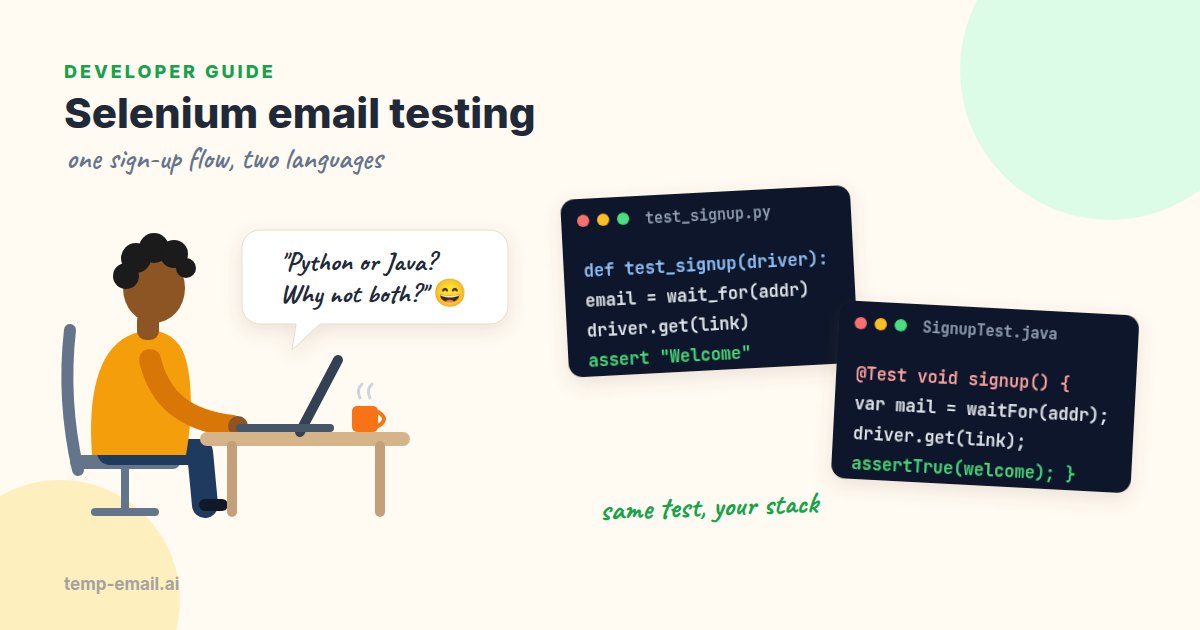
Selenium is great at driving a browser. Click here, type there, check that a banner appears. But a sign-up test has a gap in the middle: after the form is submitted, the next step happens in an email inbox, and WebDriver can't see that.
Teams fill the gap in all sorts of creative ways. Some skip verification in test environments (and then ship a broken email template). Some share one Gmail account between twenty tests that trip over each other. Some add time.sleep(30) and hope. In this guide we'll close the gap properly: the app under test sends its mail to a local mail catcher, each test uses its own address, waits for the email with the same explicit-wait tools Selenium already gives you, and opens the link in the browser.
Python with pytest is the main example. A Java version with JUnit 5 follows. At the end we cover the one thing a mail catcher can't do for you: prove that real email arrives.
The plan
Say your team is testing a bookshop app's sign-up page. Every test follows the same five steps:
- Run Mailpit next to the app and point the app's SMTP settings at it (host
localhost, port 1025). Mailpit accepts every message and delivers none, so tests can use any address they like. - Make a fresh address for the test, like
[email protected]. - Open the sign-up page, type that address and a password, and submit.
- Poll Mailpit's search API,
GET /api/v1/search?query=to:"…" subject:"…", until a match shows up. Results come newest first, andGET /api/v1/message/{ID}returns the full email withSubject,From,HTMLandText. - Pull the verification link out of the email, open it with WebDriver, and assert the account is verified.
The fresh address is the important bit. Mailpit keeps everything it receives, so the address is what keeps tests apart: yesterday's emails and the parallel worker's emails simply don't match your query. The .test domain is reserved for testing by RFC 2606, so a mailer that's accidentally wired to a real provider still can't reach a real person. If your app checks that the domain has mail servers, use a domain it accepts in test mode instead.
Setup
You need Python 3.9 or newer, three packages, and Mailpit. Docker is the quickest way to run it; there are also plain binaries for every platform.
pip install selenium pytest requests
docker run -d --name mailpit -p 1025:1025 -p 8025:8025 axllent/mailpit

# start the app under test with mail going to Mailpit
SMTP_HOST=localhost SMTP_PORT=1025 npm start   # or however your app reads its SMTP settings
Open http://localhost:8025 and you'll see Mailpit's web UI, handy for eyeballing what your tests sent. Since Selenium 4.6, Selenium Manager downloads the right browser driver for you, so there's no chromedriver to install by hand. If you've been maintaining driver versions in CI, you can usually delete that step.
A small Mailpit helper
Keep the email code in its own module so tests read like a story. The interesting part is wait_for_email: instead of writing a polling loop, it hands a function to Selenium's WebDriverWait. WebDriverWait doesn't care whether your condition looks at the page or calls an API. It calls the function every poll_frequency seconds until it returns something truthy or the timeout runs out.
# mailpit.py
import html
import os
import re
import uuid

import requests
from selenium.webdriver.support.ui import WebDriverWait

MAILPIT = os.environ.get("MAILPIT_URL", "http://localhost:8025")


def new_address(prefix: str = "signup") -> str:
    return f"{prefix}-{uuid.uuid4().hex[:12]}@example.test"


def wait_for_email(driver, address: str, subject: str, timeout: int = 20) -> dict:
    query = f'to:"{address}" subject:"{subject}"'

    def matching_email(_driver):
        r = requests.get(f"{MAILPIT}/api/v1/search", params={"query": query}, timeout=5)
        r.raise_for_status()
        messages = r.json()["messages"]  # newest first
        if not messages:
            return None  # falsy: WebDriverWait tries again
        full = requests.get(f"{MAILPIT}/api/v1/message/{messages[0]['ID']}", timeout=5)
        full.raise_for_status()
        return full.json()  # Subject, From, To, Text, HTML, ...

    wait = WebDriverWait(driver, timeout, poll_frequency=0.5,
                         ignored_exceptions=(requests.RequestException,))
    return wait.until(matching_email, f"No '{subject}' email for {address} after {timeout}s")


def extract_link(email: dict, path: str = "/verify") -> str:
    match = re.search(r'href="([^"]*' + re.escape(path) + r'[^"]*)"', email["HTML"])
    if match:
        return html.unescape(match.group(1))  # & in an href means &
    match = re.search(r"https?://\S*" + re.escape(path) + r"\S*", email["Text"])
    assert match, f"No {path} link in email '{email['Subject']}'"
    return match.group(0)
A few details here save real debugging time. The search only returns summaries, so the helper fetches the full message by ID to get the bodies. HTML emails escape & as & inside href attributes, so a link like /verify?token=abc&utm_source=email must be unescaped before you open it, or the token parameter arrives mangled. And when an email has no HTML part, Mailpit returns an empty string for HTML, so the lookup falls through to the plain text.
ignored_exceptions=(requests.RequestException,) means a Mailpit container that's still starting, or a single network hiccup, just counts as "not yet" instead of failing the test. The timeout still applies, so a real problem fails after 20 seconds with a clear message.The test
Now the test itself. The fixture starts headless Chrome and always quits it, even when an assertion fails.
# test_signup.py
import os

import pytest
from selenium import webdriver
from selenium.webdriver.common.by import By
from selenium.webdriver.support import expected_conditions as EC
from selenium.webdriver.support.ui import WebDriverWait

from mailpit import extract_link, new_address, wait_for_email

BASE_URL = os.environ.get("APP_URL", "http://localhost:3000")


@pytest.fixture
def driver():
    options = webdriver.ChromeOptions()
    options.add_argument("--headless=new")
    d = webdriver.Chrome(options=options)
    yield d
    d.quit()


def test_signup_sends_working_verification_link(driver):
    address = new_address()

    driver.get(f"{BASE_URL}/signup")
    driver.find_element(By.NAME, "email").send_keys(address)
    driver.find_element(By.NAME, "password").send_keys("Correct-Horse-42")
    driver.find_element(By.CSS_SELECTOR, "button[type=submit]").click()
    WebDriverWait(driver, 10).until(EC.url_contains("/check-your-email"))

    email = wait_for_email(driver, address, subject="Confirm your email")
    assert email["From"]["Address"].endswith("@bookshop.example")

    driver.get(extract_link(email))
    banner = WebDriverWait(driver, 10).until(
        EC.visibility_of_element_located((By.CSS_SELECTOR, "[data-test=verified-banner]")))
    assert "verified" in banner.text.lower()
Run it with pytest -v. Mailpit usually has the email within a second of the form being submitted, so the 20-second email wait is generous on purpose: it covers apps that send mail from a background job queue.
Notice what the test asserts beyond "an email came". It checks the sender domain, so a test config that still sends from no-reply@localhost gets caught. And because extract_link uses the real link from the real email, a template that points to production or drops the token fails here instead of in front of a user.
When a wait does time out, the message alone rarely tells the whole story. Before failing, it helps to print the subjects that did arrive for that address (search for just to:"…"): "No 'Confirm your email' email, but found 'Welcome to Bookshop!'" points straight at a renamed template, while nothing at all points at the mail queue or the SMTP settings. A two-line try/except TimeoutException around wait.until is enough.
Testing the unhappy paths
The happy path is one test. The bugs usually live next to it. With the helper above, each of these is a few lines:
- Link used twice: open the link, then open it again. Expect a friendly "already verified" or "link used" page, not a 500.
- Resend: click "Send it again", remember the first email's
ID, wait until the newest match has a different one, then check that the first link no longer works (if that's your policy). - Wrong account: sign up two users, each with their own address, and open user A's link while logged in as user B. The right outcome depends on your product, so write it down and test it.
- Expired link: don't wait 24 hours. Ask your developers for a configurable expiry in the test environment, or a test-only way to age a token.
For a fuller list of edge cases, see how to test email verification. Password reset emails follow the same pattern; testing password reset flows covers what to check there.
The same test in Java (JUnit 5)
On a Java team, the shape is identical. The JDK's java.net.http.HttpClient calls Mailpit, Jackson parses the JSON, and Selenium's WebDriverWait does the polling. One Java quirk: the lambda passed to until can't throw checked exceptions, so the helper wraps them.
import com.fasterxml.jackson.databind.JsonNode;
import com.fasterxml.jackson.databind.ObjectMapper;
import java.io.IOException;
import java.io.UncheckedIOException;
import java.net.URI;
import java.net.URLEncoder;
import java.net.http.HttpClient;
import java.net.http.HttpRequest;
import java.net.http.HttpResponse;
import java.nio.charset.StandardCharsets;
import java.util.UUID;

final class Mailpit {
    private static final String BASE = System.getenv().getOrDefault("MAILPIT_URL", "http://localhost:8025");
    private static final HttpClient HTTP = HttpClient.newHttpClient();
    private static final ObjectMapper JSON = new ObjectMapper();

    static String newAddress() {
        return "signup-" + UUID.randomUUID().toString().substring(0, 12) + "@example.test";
    }

    /** Newest email to the address whose subject contains the text, or null if none yet. */
    static JsonNode find(String address, String subject) {
        String query = "to:\"" + address + "\" subject:\"" + subject + "\"";
        JsonNode messages = get("/api/v1/search?query=" + URLEncoder.encode(query, StandardCharsets.UTF_8))
                .get("messages"); // newest first
        if (messages.isEmpty()) return null;
        return get("/api/v1/message/" + messages.get(0).get("ID").asText()); // has "HTML" and "Text"
    }

    private static JsonNode get(String path) {
        try {
            var request = HttpRequest.newBuilder(URI.create(BASE + path)).build();
            var response = HTTP.send(request, HttpResponse.BodyHandlers.ofString());
            if (response.statusCode() != 200) throw new IOException("HTTP " + response.statusCode() + " for " + path);
            return JSON.readTree(response.body());
        } catch (IOException e) {
            throw new UncheckedIOException(e);
        } catch (InterruptedException e) {
            Thread.currentThread().interrupt();
            throw new IllegalStateException(e);
        }
    }
}
And the test. WebDriverWait takes the timeout and the polling interval as Durations, and ignoring plays the same role as ignored_exceptions in Python.
@Test
void signupSendsWorkingVerificationLink() {
    String address = Mailpit.newAddress();

    driver.get(BASE_URL + "/signup");
    driver.findElement(By.name("email")).sendKeys(address);
    driver.findElement(By.name("password")).sendKeys("Correct-Horse-42");
    driver.findElement(By.cssSelector("button[type=submit]")).click();
    new WebDriverWait(driver, Duration.ofSeconds(10)).until(ExpectedConditions.urlContains("/check-your-email"));

    JsonNode email = new WebDriverWait(driver, Duration.ofSeconds(20), Duration.ofMillis(500))
            .ignoring(UncheckedIOException.class)
            .withMessage("No verification email for " + address)
            .until(d -> Mailpit.find(address, "Confirm your email"));
    assertTrue(email.get("From").get("Address").asText().endsWith("@bookshop.example"));

    Matcher link = Pattern.compile("href=\"([^\"]*/verify[^\"]*)\"").matcher(email.get("HTML").asText());
    assertTrue(link.find(), "No verification link in the email");
    driver.get(link.group(1).replace("&", "&"));

    WebElement banner = new WebDriverWait(driver, Duration.ofSeconds(10))
            .until(ExpectedConditions.visibilityOfElementLocated(By.cssSelector("[data-test=verified-banner]")));
    assertTrue(banner.getText().toLowerCase().contains("verified"));
}
driver and BASE_URL come from your usual @BeforeEach setup, the same as any other Selenium test in the project. URLEncoder turns spaces into +, which Mailpit reads back as spaces, so the quoted search works as is.
Selenium Grid and CI
On Selenium Grid, swap the local driver for a remote one: webdriver.Remote(command_executor="http://selenium-hub:4444", options=options) in Python, or new RemoteWebDriver(new URL("http://selenium-hub:4444"), options) in Java. Nothing else in the test changes, and it's worth knowing why: the Mailpit polling runs in your test process, not in the remote browser. So the machine running pytest or Maven needs to reach Mailpit's API port (8025), the app needs to reach its SMTP port (1025), and the Grid nodes only need to reach your app. The Selenium Grid docs cover the hub and node setup.
In GitHub Actions, Mailpit runs as a service container next to the job. Its ports are mapped to the runner, so both the app and the tests reach it on localhost:
# .github/workflows/selenium.yml
name: Selenium sign-up tests
on: [push, pull_request]

jobs:
  e2e:
    runs-on: ubuntu-latest
    timeout-minutes: 20
    services:
      mailpit:
        image: axllent/mailpit:v1.32   # pin the version you tested with
        ports:
          - 1025:1025   # SMTP: the app sends here
          - 8025:8025   # REST API and web UI: the tests read here
    env:
      APP_URL: http://localhost:3000
      MAILPIT_URL: http://localhost:8025
    steps:
      - uses: actions/checkout@v4
      - uses: actions/setup-python@v5
        with:
          python-version: '3.12'
      - run: pip install selenium pytest requests
      - name: Start the app with mail going to Mailpit
        run: |
          SMTP_HOST=localhost SMTP_PORT=1025 ./scripts/start-test-server.sh &
          curl -sf --retry 30 --retry-delay 2 --retry-connrefused "$APP_URL/health"
      - run: pytest -v
The ubuntu-latest runners come with Chrome installed, and Selenium Manager finds the matching driver. A few habits keep the suite calm:
- One address per test user, created inside the test. Never share an address between parallel workers.
- Don't wipe the mailbox between tests with
DELETE /api/v1/messageswhen tests run in parallel: one worker would delete another worker's email mid-test. Unique addresses make the cleanup unnecessary. - Mailpit keeps the newest 500 messages by default. A big suite on a long-lived Mailpit can push older ones out; raise the limit with
MP_MAX_MESSAGESif that matters. - Save a screenshot on failure (
driver.save_screenshot(...)) so you can tell "form never submitted" from "email never came".
If you are choosing a framework rather than maintaining an existing Selenium suite, our Playwright email testing guide shows the same flow with Playwright's built-in polling.
Where a real inbox still fits
Mailpit catches every email on every build, but it never proves real delivery. It doesn't talk to your email provider, check your DNS records or pass through anyone's spam filter. A staging server with a wrong API key or an unverified sender domain sails through the whole Selenium suite.
So keep a short manual pass before each release, on staging, where mail goes through your real provider. Open temp-email.ai in a new tab, sign up with that address, and check that the email arrives within a minute or two, comes from the right sender, and that its link opens staging. For multi-user flows, use one tab per test user: each tab gets its own disposable inbox for testing. Anyone with an inbox link can read it, so it's for test accounts only. Mailpit for hundreds of automated runs, a real inbox for a handful of checks by a person: that split covers both sides.
Common mistakes
- Sleeping instead of waiting.
time.sleep(30)is slow when the email is fast and flaky when it is slow. An explicit wait returns as soon as the email lands. - Polling forever. A
while Trueloop without a deadline hangs the CI job until the runner kills it. Every wait needs a timeout and a message that says what was missing. - Mixing implicit and explicit waits. The Selenium docs on waits warn that combining them can cause unpredictable wait times. Pick explicit waits.
- Matching any email. Filter by address and subject. Welcome emails and verification emails often arrive within a second of each other.
- Forgetting
&. Open the rawhreffrom HTML without unescaping and the token parameter breaks in confusing ways. - Quoting the search. Mailpit's search filters treat each space-separated word as its own term, so a subject with spaces needs quotes:
subject:"Confirm your email".
Wrapping up
Selenium already has everything you need for email tests: WebDriverWait is happy to wait for an API response as well as a button. Send your test mail to Mailpit, give each test its own address, wait with a deadline, and use the real link from the real email. Add a quick real-inbox check before each release, and your sign-up suite will catch template and configuration bugs before your users do. Happy testing!