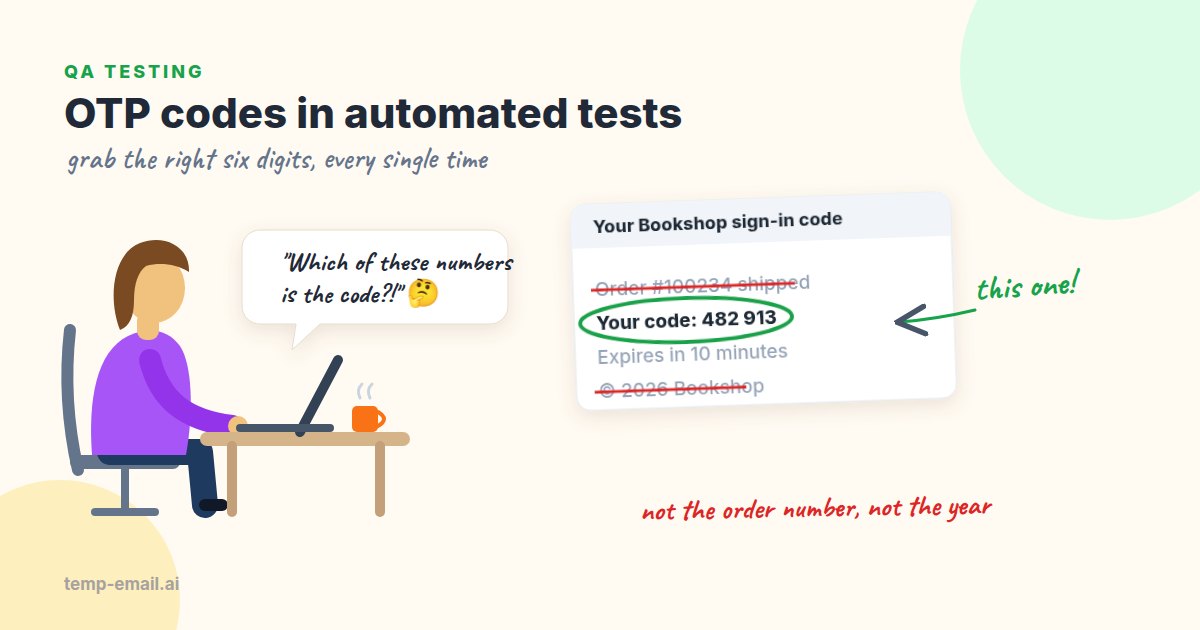
A one-time code email looks harmless: "Your Bookshop code is 482913." A person glances at it and types six digits. A test script, on the other hand, has to find those six digits in a block of text that might also contain an order number, a year in the footer, a phone number and a CSS color. Then it has to be sure it's reading today's email and not the one from the previous test step.
Most flaky OTP tests come down to one of those two problems. This guide fixes both, then adds the tests people tend to skip (expiry, resend, wrong-code limits) and a GitHub Actions workflow to run them on every push.
The examples read mail from Mailpit, a free local mail catcher. In the test environment your app sends through Mailpit's SMTP port (1025) instead of a real provider, and tests read what arrived through its REST API on port 8025. Every message is caught, nothing is delivered, and each test can make up its own address. Near the end we look at where a real inbox still fits.
Problem 1: finding the right six digits
The first version of an OTP helper is almost always body.match(/\d+/) or \d{6}. Here's a realistic email that breaks both:
Your order #100234 is ready for pickup. To sign in, use code 482 913. The code expires in 10 minutes. Questions? Call 555 123 4567. © 2026 Bookshop
\d+ returns 100234, the order number. \d{6} also returns 100234, and it would miss the real code anyway because of the space in the middle. Change the email layout a little and the test starts reading the year. These failures are maddening because they come and go with template changes nobody told QA about.
A few rules make extraction dependable:
- Prefer the plain-text body. Mailpit's message JSON has
TextandHTML. The text has no CSS colors like#123456, no tracking pixels and no hidden preheader tricks. When an email has no plain-text part, Mailpit buildsTextfrom the HTML for you; the helper still strips the HTML itself ifTextcomes back empty. - Look near a keyword. Search for the code within a short distance of words like "code", "passcode", "one-time" or "verification", with no other digits in between.
- Don't match pieces of longer numbers. Use lookarounds so
(?<!\d)and(?!\d)keep you from grabbing six digits out of a ten-digit tracking number. - Allow spaces and dashes inside the code. Many templates show
482 913or482-913, and HTML emails often put each digit in its own table cell, which becomes4 8 2 9 1 3as text. - Check the subject too. Lots of services put the code first in the subject ("482913 is your Bookshop code") so it shows in phone notifications.
Here is that logic in JavaScript. It works in Node 18+, Playwright, Cypress tasks or plain scripts:
// otp.js
const CODE = String.raw`(?<!\d)(\d(?:[ -]?\d){5})(?!\d)`; // 482913, 482 913, 4 8 2 9 1 3
const WORD = String.raw`\b(?:code|passcode|one-time|otp|verification)\b`;
const PATTERNS = [
new RegExp(`${WORD}\\D{0,40}?${CODE}`, 'i'), // "your code is 482913" (tried first)
new RegExp(`${CODE}\\D{0,40}?${WORD}`, 'i'), // "482913 is your code"
];
function htmlToText(html) {
return html
.replace(/<(style|script)\b[\s\S]*?<\/\1>/gi, ' ')
.replace(/<[^>]+>/g, ' ')
.replace(/ | /g, ' ')
.replace(/\s+/g, ' ');
}
// email is Mailpit's message JSON: Subject, Text, HTML
export function extractOtp(email) {
const text = email.Text || htmlToText(email.HTML || '');
for (const pattern of PATTERNS) {
for (const source of [email.Subject || '', text]) {
const match = source.match(pattern);
if (match) return match[1].replace(/\D/g, '');
}
}
throw new Error(`No 6-digit code found in "${email.Subject}"`);
}On the sample email above, this returns 482913. The keyword-first pattern runs first on purpose: in "order #100234 ... use code 482 913", the code-first pattern alone would happily pair the order number with the word "code" that follows it.
And the same thing in Python:
# otp.py
import html
import re

CODE = r"(?<!\d)(\d(?:[ -]?\d){5})(?!\d)"
WORD = r"\b(?:code|passcode|one-time|otp|verification)\b"
PATTERNS = [
    re.compile(WORD + r"\D{0,40}?" + CODE, re.IGNORECASE),  # tried first
    re.compile(CODE + r"\D{0,40}?" + WORD, re.IGNORECASE),
]


def html_to_text(body: str) -> str:
    body = re.sub(r"(?is)<(style|script)\b.*?</\1>", " ", body)
    body = re.sub(r"<[^>]+>", " ", body)
    return re.sub(r"\s+", " ", html.unescape(body))


def extract_otp(email: dict) -> str:
    """email is Mailpit's message JSON (Subject, Text, HTML)."""
    text = email.get("Text") or html_to_text(email.get("HTML") or "")
    for pattern in PATTERNS:
        for source in (email.get("Subject") or "", text):
            match = pattern.search(source)
            if match:
                return re.sub(r"\D", "", match.group(1))
raise AssertionError(f"No 6-digit code found in {email.get('Subject')!r}")If your codes contain letters (K7Q-29X), swap \d for a character class like [A-Z0-9] and keep the keyword rule. Without a keyword, a pattern that matches letters will find words everywhere.
Problem 2: reading the newest email, not an old one
The second classic flake: the test signs in, asks for a code, and reads the inbox. But the inbox already holds a code from the sign-up step a few seconds earlier. Sometimes the new email has arrived and the test is fine; sometimes it hasn't, and the test types an old code and fails. Run it again and it passes, which is the worst kind of bug report.
The fix is to remember when you asked for the code, and only accept an email that arrived after that. Three details matter:
- Mailpit stamps each message with
Created, an RFC 3339 time that carries its zone:2026-10-28T15:27:53.597Z, or-04:00on the end if the container runs with aTZsetting.Date.parsehandles both, and so does Python'sdatetime.fromisoformatfrom 3.11 on. - Filter by subject when the flow sends more than one email. A welcome email that lands a moment after you click "Send me a code" passes the time check too, and then the test hunts for a code in the wrong message. Adding
subject:"code"to the search fixes it. - Clocks never agree exactly, even on one machine (Mailpit stores milliseconds; your test may round). Take the start time a second early, and when you need a second code in the same test, also skip the email
IDyou already used.
Mailpit's search returns the newest match first, so we only ever look at one result. Here's the JavaScript version, with a Playwright test that uses it:
// inbox.js (reads mail from Mailpit)
import { randomUUID } from 'node:crypto';

const MAILPIT = process.env.MAILPIT_URL ?? 'http://localhost:8025';
const sleep = (ms) => new Promise((resolve) => setTimeout(resolve, ms));

export const newAddress = () => `otp-${randomUUID()}@example.test`;

async function mailpit(path) {
  const res = await fetch(`${MAILPIT}${path}`);
  if (!res.ok) throw new Error(`Mailpit answered ${res.status} for ${path}`);
  return res.json();
}

export async function waitForNewEmail(address, { since, afterId = null, subject = '', timeoutMs = 20_000 }) {
  const filter = subject ? ` subject:"${subject}"` : '';
  const query = encodeURIComponent(`to:"${address}"${filter}`);
  const deadline = Date.now() + timeoutMs;
  while (Date.now() < deadline) {
    const { messages } = await mailpit(`/api/v1/search?query=${query}&limit=1`); // newest first
    const newest = messages[0];
    if (newest && Date.parse(newest.Created) >= since && newest.ID !== afterId) {
      return mailpit(`/api/v1/message/${newest.ID}`); // Subject, Text, HTML, ...
    }
    await sleep(250); // a local catcher answers fast
  }
  throw new Error(`No new email for ${address} within ${timeoutMs / 1000}s`);
}// sign-in.spec.js (Playwright)
import { test, expect } from '@playwright/test';
import { newAddress, waitForNewEmail } from './inbox.js';
import { extractOtp } from './otp.js';
test('signs in with an emailed code', async ({ page }) => {
const address = newAddress();
await page.goto('/sign-in');
await page.getByLabel('Email').fill(address);
const since = Date.now() - 1_000; // a little slack for clock rounding
await page.getByRole('button', { name: 'Send me a code' }).click();
const code = extractOtp(await waitForNewEmail(address, { since, subject: 'code' }));
await page.getByLabel('6-digit code').fill(code);
await page.getByRole('button', { name: 'Sign in' }).click();
await expect(page.getByRole('heading', { name: 'Your bookshelf' })).toBeVisible();
});Why not skip the checks, since every test gets a fresh address anyway? For a flow that sends exactly one email, that works. But the moment a flow sends two (a welcome message and a code, or a code and a resend), "the newest email" becomes a race. Drop the subject filter from the Playwright test above, and a sign-in that also sends a welcome email will hand the welcome message to extractOtp. The since, subject and afterId checks cost three lines and remove the guesswork.
If you use Playwright heavily, our Playwright email testing guide shows how to fold this into fixtures.
The tests people skip: expiry, resend and wrong codes
Reading one code proves the email is sent. The security of a one-time code comes from its limits, and those need tests too. Say Bookshop signs people in with a code and no password. The first code request creates the account. Here are the rules worth checking, in Python 3.11+ with pytest and requests against your app's API (your endpoints will have their own names):
# test_otp.py
import os
import time
import uuid
from datetime import datetime, timedelta, timezone

import pytest
import requests

from otp import extract_otp

MAILPIT = os.environ.get("MAILPIT_URL", "http://localhost:8025")
APP = os.environ["APP_URL"]


def wait_for_new_email(address, since, after_id=None, subject="code", timeout=20):
    query = f'to:"{address}" subject:"{subject}"'
    deadline = time.monotonic() + timeout
    while time.monotonic() < deadline:
        r = requests.get(f"{MAILPIT}/api/v1/search", params={"query": query, "limit": 1}, timeout=5)
        r.raise_for_status()
        newest = next(iter(r.json()["messages"]), None)  # newest first
        # Python 3.11+ reads Mailpit's "Z" or "+02:00" offsets
        if newest and datetime.fromisoformat(newest["Created"]) >= since and newest["ID"] != after_id:
            return requests.get(f"{MAILPIT}/api/v1/message/{newest['ID']}", timeout=5).json()
        time.sleep(0.25)
raise TimeoutError(f"No new email for {address} within {timeout}s")@pytest.fixture
def inbox():
return f"otp-{uuid.uuid4().hex[:12]}@example.test" # Mailpit accepts any address
def request_code(address):
requests.post(f"{APP}/api/auth/email-code", json={"email": address}, timeout=10).raise_for_status()
def verify(address, code):
return requests.post(f"{APP}/api/auth/verify-code", json={"email": address, "code": code}, timeout=10)
def test_resend_replaces_the_old_code(inbox):
since = datetime.now(timezone.utc) - timedelta(seconds=1)
request_code(inbox)
first = wait_for_new_email(inbox, since)
request_code(inbox) # "Send me a new code"
second = wait_for_new_email(inbox, since, after_id=first["ID"])
assert verify(inbox, extract_otp(first)).status_code == 400
assert verify(inbox, extract_otp(second)).status_code == 200
def test_code_works_only_once(inbox):
since = datetime.now(timezone.utc) - timedelta(seconds=1)
request_code(inbox)
code = extract_otp(wait_for_new_email(inbox, since))
assert verify(inbox, code).status_code == 200
assert verify(inbox, code).status_code == 400
def test_five_wrong_codes_burn_the_real_one(inbox):
since = datetime.now(timezone.utc) - timedelta(seconds=1)
request_code(inbox)
code = extract_otp(wait_for_new_email(inbox, since))
wrong = f"{(int(code) + 1) % 1_000_000:06d}"
for _ in range(5):
assert verify(inbox, wrong).status_code == 400
assert verify(inbox, code).status_code == 400 # locked out; ask for a new codeExpiry is the one you can't test quickly against a 10-minute code. Don't put a 10-minute sleep in CI. Ask for a configurable lifetime instead, say 30 seconds in the test environment, and let the test read the same setting:
@pytest.mark.skipif("OTP_TTL_SECONDS" not in os.environ, reason="needs a short code lifetime")
def test_expired_code_is_rejected(inbox):
    since = datetime.now(timezone.utc) - timedelta(seconds=1)
    request_code(inbox)
    code = extract_otp(wait_for_new_email(inbox, since))
    time.sleep(int(os.environ["OTP_TTL_SECONDS"]) + 2)
    assert verify(inbox, code).status_code == 400
Your exact rules may differ: some apps keep the old code valid after a resend, some lock after three tries. That's fine. The value is in writing the rule down and having a test fail when it quietly changes. The OWASP Multifactor Authentication Cheat Sheet is a good reference when deciding what those rules should be. If you are on the building side, how to build email verification covers generating, hashing and rate-limiting codes.
Running it in GitHub Actions
In CI, Mailpit runs as a service container beside the job, and the app under test starts in the job with its SMTP settings pointed at it. Here's a workflow that runs on every push, every pull request and on demand:
# .github/workflows/otp-tests.yml
name: OTP email tests
on:
  push:
    branches: [main]
  pull_request:
  workflow_dispatch:

jobs:
  otp:
    runs-on: ubuntu-latest
    timeout-minutes: 15
    services:
      mailpit:
        image: axllent/mailpit:v1.32   # pin the version you tested with
        ports:
          - 1025:1025   # SMTP: the app sends here
          - 8025:8025   # REST API: the tests read here
    env:
      APP_URL: http://localhost:3000
      MAILPIT_URL: http://localhost:8025
      OTP_TTL_SECONDS: '30'   # the app reads the same value
    steps:
      - uses: actions/checkout@v4
      - uses: actions/setup-python@v5
        with:
          python-version: '3.12'
      - run: pip install pytest requests
      - name: Start the app with mail going to Mailpit
        run: |
          SMTP_HOST=localhost SMTP_PORT=1025 ./scripts/start-test-server.sh &
          curl -sf --retry 30 --retry-delay 2 --retry-connrefused "$APP_URL/health"
      - run: pytest tests/test_otp.py -v --junitxml=otp-results.xml
      - uses: actions/upload-artifact@v4
        if: always()
        with:
          name: otp-results
          path: otp-results.xml
A few choices in there are deliberate. timeout-minutes means a stuck test costs 15 minutes, not GitHub's default of six hours. The service's ports are mapped to the runner, so the app sends to localhost:1025 and the tests read localhost:8025. The curl line waits until the app answers before any test starts (swap /health for whatever your app has). Nothing secret is needed for email: Mailpit lives only as long as the job, and every run starts with an empty mailbox. The JUnit XML upload gives you a readable report even when the job fails.
One practical note: if your app has a resend cooldown (it should), the resend test needs a short cooldown in the test configuration, or the second request will get a 429.
The last mile: a real inbox before release
Mailpit proves your app builds the right email with a working code. It can't prove the email gets through your real provider and lands somewhere real, and that's where the remaining surprises live: a staging API key that's wrong, a sender domain the provider never verified, a code email that a spam filter dislikes.
So before a release, ask for a code by hand on staging, where mail goes through your real provider. Open temp-email.ai in a new tab to get a disposable inbox for testing, sign in with that address, and check that the email arrives within a minute or two, that the code shows in the subject or preview, that it works, and that it's easy to copy on a phone. Anyone with an inbox link can read it, so use it for test accounts only. Mailpit handles the hundreds of automated runs; a real inbox handles the few checks a person should make.
Checklist for OTP email tests
- Read
Textfirst; strip<style>and<script>before searching HTML. - Match the code near a keyword, allow spaces and dashes, and block digits on either side.
- Check the subject line, where many services put the code.
- Record the time before you request a code, compare it with Mailpit's
Created(time zone included), and only accept newer emails. - Filter by subject when the flow sends more than one email.
- For a second code in the same test, also skip the email
IDyou already used. - Use one fresh address per test user, so parallel tests never share codes.
- Give every wait a deadline and an error message that names the address.
- Test the rules: single use, resend, wrong-code lockout and expiry.
Wrapping up
OTP tests get their bad reputation from two small mistakes: grabbing the wrong number and reading the wrong email. Fix those with a keyword-aware regex and a "newer than when I asked" filter, and the rest is ordinary test code. Catch the mail in Mailpit, add the expiry and resend checks, let GitHub Actions run them on every push, and keep one real-inbox check before release. You'll hear about a broken code email from CI instead of from a customer. Happy testing!