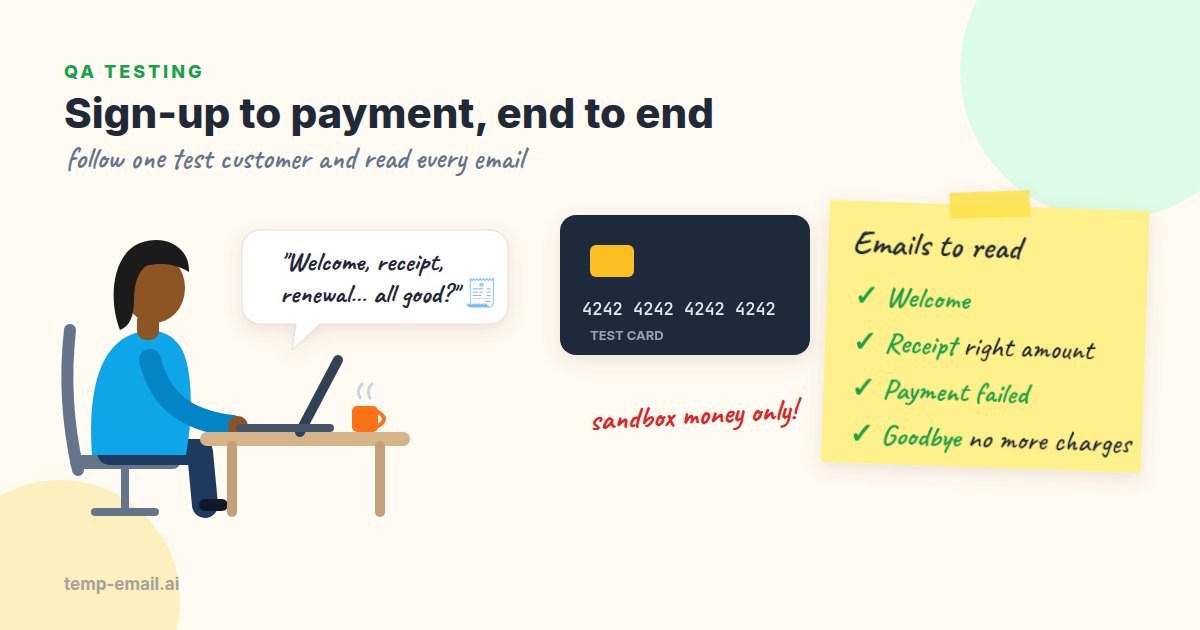
Say your team runs Shelfwise, a small app that helps independent bookshops track stock. New users get a 14-day free trial, then pay $19 a month through Stripe. Sign-up has tests, checkout has tests, the email templates have tests, and they all pass. Then a customer writes in: "I paid yesterday and I'm still on the trial. Also, where's my receipt?"
Bugs like that rarely live inside one feature. They live in the handoffs: the payment succeeds but the webhook that upgrades the plan fails, or the receipt template reads a field that only exists for annual plans. The reliable way to find them is to become a brand-new customer and walk the whole path, reading every email the app sends. This guide shows how we'd run that journey, what to check at each step, and how to script the parts that are painful by hand.
Ground rules before you start
- Test mode only. Use Stripe's test-mode keys (they start with
pk_test_andsk_test_) and its test card numbers. No real card ever goes near a test account. - A fresh inbox per journey. Open a new tab on temp-email.ai for each run so the customer's history starts empty. A disposable inbox fits here because the whole account is fictional; never use one for a real purchase or for anything you'll need to recover later.
- Webhooks reachable. Most billing emails are sent from webhook handlers. When the app runs locally, the Stripe CLI forwards events to it:
stripe listen --forward-to localhost:3000/webhooks/stripe. - Know who sends what. Some emails come from your app, some from Stripe. Stripe doesn't send its automatic receipts for test-mode payments, so in test mode the emails you'll see are the ones your own code sends. Stripe's testing docs cover the details.
The journey at a glance
Here's the Shelfwise path with the email each step should produce. Your details will differ, but most subscription products follow this shape.
- Sign up: "Confirm your email"
- Verify: "Welcome to Shelfwise, your trial ends on November 11"
- Trial nearly over: "Your trial ends in 3 days"
- First payment: "Receipt for your Shelfwise payment ($19.00)"
- Failed renewal: "Your payment didn't go through"
- Cancellation: "Your plan is canceled; you have access until December 11"
Six emails, six chances for a wrong date, a broken link or a message that never arrives. Let's walk them.
Step 1: Sign up and verify
Sign up with the inbox address, switch tabs and watch the verification email arrive. Before you click anything, read it the way a customer would.
- The sender name and address look like your brand, not
postmaster@ip-10-0-3-17. - The link points to the environment you're testing. A staging email that links to production is a classic config bug.
- The link works once, then shows a friendly "already verified" page.
- There's a plain text version with the same link. Some mail apps and screen readers rely on it.
Our email verification testing guide goes deeper on expiry, resend and token reuse.
Step 2: The trial starts
The welcome email is usually the first one with a date in it, and dates are where billing emails go wrong. Sign up on October 28 with a 14-day trial and the email should say November 11. The billing page and the subscription in Stripe should agree.
- The trial end date matches the billing page and Stripe.
- The date is in the customer's time zone or clearly labeled. A trial "ending November 11" that really ends at 4 p.m. on November 10 for a customer in California is a future support ticket.
- The email says whether the card will be charged automatically, and how much.
- Month ends don't break the math. Run one journey on the 30th or 31st, or late in February, if you can.
The "trial ends in 3 days" email is easy to forget, because nobody waits eleven days to see it. Stripe sends a customer.subscription.trial_will_end event three days before a trial ends, and with test clocks (Step 5) you can reach it in seconds.
Step 3: Pay with Stripe test cards
Each Stripe test card simulates a different outcome. Use any future expiry date, any three-digit CVC and any postal code. These are the ones we reach for most:
4242 4242 4242 4242   payment succeeds
4000 0025 0000 3155   asks for 3D Secure authentication
4000 0000 0000 9995   declined: insufficient funds
4000 0000 0000 0002   declined: generic decline
4000 0000 0000 0341   saves fine, but later charges fail
Run the happy path with 4242 first, then each decline. The declines matter as much as the success. After a declined card the customer should see a clear message on the page and receive no receipt and no "Welcome to Pro" email. Sending a success email for a failed payment is a real bug, usually because the email fires on "checkout submitted" instead of on the invoice.paid or payment_intent.succeeded webhook.
Step 4: Read the receipt carefully
A receipt is a financial document, so the details matter more here than in any other email. Open it in the inbox tab and compare it line by line with the payment in the Stripe Dashboard.
- Amount and currency read naturally: "$19.00", not "$19", "1900" or "19.0 USD". If you sell in euros, check the symbol position and the decimal comma for the customer's locale.
- Tax lines add up, and the total equals what was charged.
- Only the last four digits of the card appear ("Visa ending in 4242"). The full number must never show up anywhere.
- The invoice number matches Stripe's, and the "view invoice" link works for a logged-out customer if that's your design, or asks them to log in if it isn't.
- The billing period is right: November 11 to December 11, not the trial dates.
- Company name, address and tax ID (if the customer entered one) appear the way their accountant needs them.
Step 5: Make a renewal fail without waiting a month
Failed-payment emails (often called dunning emails: the series that asks customers to fix their card) are among the most valuable emails you send and among the least tested, because they normally need a month to pass. Stripe's test clocks solve that. You create a customer attached to a clock, move the clock forward, and Stripe runs everything that would have happened in between.
The script below sets up a Shelfwise-style subscription for your inbox address with a card that fails when charged, then jumps 15 days ahead, past the end of the trial. It assumes your webhook handler finds the user by the customer's email. If yours looks users up by Stripe customer ID, run the same calls through your app's own sign-up code behind a test-only flag.
// scripts/failed-renewal.mjs   (npm install stripe; Node 18+)
import Stripe from 'stripe';

const key = process.env.STRIPE_TEST_KEY ?? '';
if (!key.startsWith('sk_test_')) throw new Error('Refusing to run without a test-mode key');
const stripe = new Stripe(key);

const email = process.argv[2]; // the temp inbox address for this journey
const DAY = 24 * 60 * 60;
const start = Math.floor(Date.now() / 1000);

const clock = await stripe.testHelpers.testClocks.create({ frozen_time: start });
const customer = await stripe.customers.create({ email, test_clock: clock.id });

// Stripe's test payment method that attaches fine but fails when charged
const pm = await stripe.paymentMethods.attach('pm_card_chargeCustomerFail', {
  customer: customer.id,
});

await stripe.subscriptions.create({
  customer: customer.id,
  items: [{ price: process.env.SHELFWISE_PRICE_ID }],
  default_payment_method: pm.id,
  trial_period_days: 14,
});

// Jump past the trial: Stripe sends trial_will_end, creates the invoice, tries the card
await stripe.testHelpers.testClocks.advance(clock.id, { frozen_time: start + 15 * DAY });
console.log(`Advancing clock ${clock.id}. Watch the inbox for ${email}.`);
Run it with node scripts/failed-renewal.mjs [email protected]. Once the clock finishes advancing, Stripe tries the card, the payment fails, and an invoice.payment_failed event reaches your webhook. Within a minute or two the inbox should show the "trial ends soon" email followed by the failed-payment email. Check that:
- It says what failed and what happens next: "We'll try again on November 14. Your access continues until then."
- The "Update card" link goes to the billing page (after a login if needed) and doesn't 404.
- It doesn't blame the customer or show raw codes like
card_declined. - It arrives once. Stripe retries webhooks that don't get a 2xx response, so a handler that sends the email and then crashes can send it again on every retry. Store each event ID and skip ones you've already handled.
Advance the clock again to see the retry emails and the final "your subscription was canceled for non-payment" message, if your app sends one.
Step 6: Cancel, and check the goodbye
Back on the happy-path customer from Step 3, cancel from the app the way a customer would. Most products cancel at the end of the billing period, which gives you two moments to check: the cancellation itself and the day access actually ends.
- The confirmation email gives the date access ends, and it matches the billing page.
- It says clearly that no further charges will happen.
- If you offer it, the "Changed your mind?" link reactivates the plan without charging twice for the same period.
- When the period ends, the customer gets at most one "your plan has ended" email, and the app moves them to the free tier or locks the account as designed.
- A refund, if you issue one, sends its own email with the refunded amount.
Check the whole inbox at the end
When the journey is done, the inbox holds the complete story. On the manual run, scroll through the temp-email.ai tab from the oldest email to the newest and read it as one conversation with the customer:
- All six emails are there, in the order the journey happened, each exactly once. A second receipt usually means a webhook was retried and handled twice.
- No email shows
{{first_name}},undefined,NaNornullwhere a name, date or amount should be. - Dates and amounts agree from one email to the next: the trial end in the welcome email is the start of the first billing period on the receipt.
- No email shows more than the last four digits of a card.
- Sender name, reply-to address and footer are the same everywhere. Billing emails sent from a different system often drift.
That read-through takes five minutes, and it's the only check that proves the emails really leave your servers and land in a real inbox. If they arrive late or not at all, why emails land in spam covers the usual causes.
The same check as a script, with Mailpit
If you also automate the journey, say nightly in CI against a test build with the Stripe CLI forwarding webhooks, don't send that mail anywhere real. Point the build's SMTP settings at Mailpit, a local mail catcher that accepts every email and keeps it for inspection (SMTP on port 1025, web UI and REST API on 8025). Use a new address per run, such as [email protected] for build 1842, and this script checks the boring things every time: missing emails, wrong order, duplicates, leaked template placeholders and card numbers.
# check_journey_emails.py   (pip install requests)
import os
import re
import sys
import requests

MAILPIT = os.environ.get("MAILPIT_URL", "http://localhost:8025")
address = sys.argv[1].lower()

res = requests.get(f"{MAILPIT}/api/v1/search",
                   params={"query": f'to:"{address}"', "limit": 200}, timeout=15)
res.raise_for_status()
# to: also matches partial addresses, so keep exact matches only
found = [m for m in res.json()["messages"]
         if any(t["Address"].lower() == address for t in m["To"])]
found.reverse()  # Mailpit returns newest first; we want the journey in order
emails = [requests.get(f"{MAILPIT}/api/v1/message/{m['ID']}", timeout=15).json()
          for m in found]
subjects = [e["Subject"] for e in emails]
print("\n".join(subjects))

expected = [r"confirm your email", r"welcome", r"receipt", r"cancel"]
pos = 0
for pattern in expected:
    while pos < len(subjects) and not re.search(pattern, subjects[pos], re.I):
        pos += 1
    assert pos < len(subjects), f"missing or out of order: {pattern}"
    pos += 1

assert len(subjects) == len(set(subjects)), "duplicate email (webhook retried?)"

for e in emails:
    body = e["Text"] or re.sub(r"<[^>]+>", " ", e["HTML"])
    leak = re.search(r"\{\{|\bundefined\b|\bNaN\b|\bnull\b", body)
    assert not leak, f"template leak '{leak.group()}' in: {e['Subject']}"
    card = re.search(r"\b(?:\d[ -]?){13,19}\b", body)
    assert not card, f"possible full card number in: {e['Subject']}"

print("Journey emails look good.")
It uses two calls from Mailpit's API: GET /api/v1/search with a to: filter to list the run's messages (newest first), and GET /api/v1/message/{ID} for each one's Text and HTML. Run it as the last step of the job with python check_journey_emails.py [email protected].
The two checks answer different questions. Mailpit catches every email on every run, but it never touches your email provider, DNS or spam filters, so it can't prove delivery. A real inbox proves delivery, but it isn't meant for hundreds of automated runs. Use the script on every build and the manual journey before each billing release.
The end-to-end checklist
- Verification email arrives within a minute, links to the right environment and works once.
- Welcome email shows the correct trial end date and the amount that will be charged.
- "Trial ends soon" email arrives three days before the end (use a test clock to see it).
- A successful payment upgrades the plan and sends exactly one receipt.
- Declined cards and failed 3D Secure send no success email and leave the plan unchanged.
- Receipt amount, currency, tax, billing period and invoice number match Stripe.
- Only the last four card digits appear, in any email.
- A failed renewal sends one email with a working "Update card" link.
- The cancellation email gives the access-end date, and no charge follows.
- No email contains
{{,undefined,NaNornull. - Every email has a plain text version, and marketing emails (not receipts) have an unsubscribe link.
Make it a habit
A full journey takes about twenty minutes by hand, and less once the test clock script is in place. Run it before any release that touches sign-up, pricing or billing, and after any change to email templates. It's the closest you'll get to seeing your product through a new customer's eyes before a real one has to write in.
A fresh disposable inbox for testing is one tab away when you're ready. If your product has teams, testing invites, roles and approvals is a good next stop.