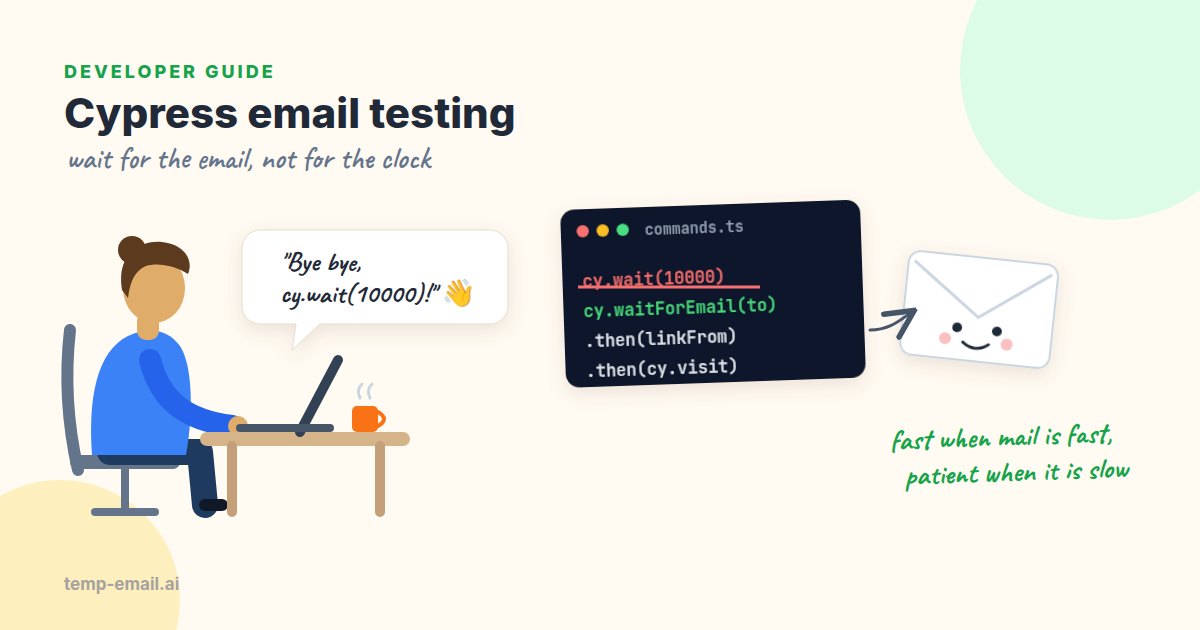
Most Cypress suites stop at the same spot. The app says "Check your inbox", the test asserts that the message is on screen, and that's the end. Everything after it (the email being sent, the link working, the code being accepted) goes untested until a real user finds the problem.
This guide closes that gap. We'll send your app's test mail to Mailpit, a local mail catcher, build one custom command that waits for an email to land there, and use it to test a verification link and a one-time passcode (OTP) sign-in. Then we'll handle links that point to another domain, which is where cy.origin comes in, run the whole thing in CI, and look at where a real inbox still fits.
How the pieces fit
- Mailpit runs next to your app. It's a small SMTP server that accepts every email and keeps it, with a web UI and a REST API on port 8025. Nothing is delivered anywhere.
- In tests, your app's SMTP settings point at Mailpit: host
localhost, port1025, no TLS, no login. - Each test makes up a unique address such as
[email protected]and signs up with it. - A custom command asks Mailpit's API every second until a matching email arrives, or fails with a clear message after a timeout.
- The test pulls the link or code out of the email and uses it.
Because cy.request runs from Cypress's Node process rather than inside the page, there's no CORS to worry about, and the Mailpit calls don't clutter your app's network traffic.
Setup
Start Mailpit first. Docker is the quickest way; there's also a single binary for macOS, Linux and Windows (see the install docs).
docker run -d --name mailpit -p 8025:8025 -p 1025:1025 axllent/mailpit

# Then start your app with its SMTP settings pointed at Mailpit, for example:
SMTP_HOST=localhost SMTP_PORT=1025 npm start
Open http://localhost:8025 and you'll see every email your app sends. Now put Mailpit's URL in the Cypress config so CI can override it, and allow one retry in CI runs.
// cypress.config.ts
import { defineConfig } from 'cypress';

export default defineConfig({
  e2e: {
    baseUrl: 'http://localhost:3000',     // your app, sending mail to Mailpit
    env: {
      mailpitUrl: 'http://localhost:8025', // Mailpit's web UI and REST API
    },
    retries: { runMode: 1, openMode: 0 },
  },
});
Next, a file for the email types and a helper that makes unique addresses. It has no side effects, so specs can import from it freely. The field names match Mailpit's API: search results carry ID, Subject and To, and the full message adds From, Text and HTML.
// cypress/support/email.ts
export interface Address { Name: string; Address: string }

export interface MessageSummary {  // one row of GET /api/v1/search
  ID: string;
  Subject: string;
  To: Address[];
}

export interface Email extends MessageSummary {  // GET /api/v1/message/{ID}
  From: Address;
  Text: string;  // "" when the email has no plain text part
  HTML: string;  // "" when the email has no HTML part
}

export interface WaitOptions {
  subject?: RegExp;  // only match emails whose subject fits
  timeout?: number;  // total wait, default 30 s
  interval?: number; // pause between checks, default 1 s
}

// A new address for every test, so no test ever reads another test's mail.
export const uniqueAddress = (prefix = 'user') =>
  `${prefix}-${Date.now()}-${Cypress._.random(1e6)}@example.test`;
The .test top-level domain is reserved for testing by RFC 2606, so even a misconfigured environment that sends for real can't email a stranger.
A command that waits for the email (no cy.wait(10000))
The tempting version is cy.wait(10000) followed by one check. It's slow when the email arrives in 200 milliseconds and flaky on the day the app is busy. Instead, ask Mailpit, and if nothing matches yet, pause briefly and ask again, up to a deadline. Cypress doesn't retry cy.request on its own, so we write the loop as a small recursive function. First, the declarations at the top of commands.ts:
// cypress/support/commands.ts   (imported from cypress/support/e2e.ts)
import type { Email, MessageSummary, WaitOptions } from './email';

declare global {
  namespace Cypress {
    interface Chainable {
      waitForEmail(address: string, options?: WaitOptions): Chainable<Email>;
    }
  }
}

const mailpit = () => Cypress.env('mailpitUrl') as string;
Then the command itself. It searches with GET /api/v1/search and a to: filter (results come newest first), then fetches the full message from GET /api/v1/message/{ID}. Both are in Mailpit's API reference, and the filter syntax is on its search filters page.
Cypress.Commands.add('waitForEmail', (address: string, options: WaitOptions = {}) => {
  const { subject, timeout = 30_000, interval = 1_000 } = options;
  const deadline = Date.now() + timeout;
  const isMatch = (m: MessageSummary) =>
    m.To.some((t) => t.Address.toLowerCase() === address.toLowerCase()) &&
    (!subject || subject.test(m.Subject));

  const check = (): Cypress.Chainable<Email> =>
    cy.request<{ messages: MessageSummary[] }>({
      url: `${mailpit()}/api/v1/search`,
      qs: { query: `to:"${address}"` },
      log: false,
    }).then(({ body }) => {
      const hit = body.messages.find(isMatch);
      if (hit) {
        Cypress.log({ name: 'email', message: hit.Subject });
        return cy.request<Email>({ url: `${mailpit()}/api/v1/message/${hit.ID}`, log: false })
          .its('body', { log: false });
      }
      if (Date.now() > deadline) {
        throw new Error(`No email matching ${subject ?? 'any subject'} reached ${address} in ${timeout / 1000} s`);
      }
      return cy.wait(interval, { log: false }).then(check);
    });

  return check();
});
A few details matter here:
- Recursion through
.then. Cypress commands are queued, not awaited, so a plainwhileloop won't work. Each round queues one request and only queues the next round if nothing matched. - The short wait is a polling interval, not a guess. The test moves on as soon as the email is there.
- Compare the full address. Mailpit's
to:filter matches part of an address, soto:"[email protected]"also finds[email protected].isMatchchecks the whole address, ignoring case, before trusting a hit. - Let
qsdo the encoding. The query has quotes, an@and sometimes spaces; passing it throughqsURL-encodes it for you. - One second and thirty seconds are sensible defaults. Mailpit is local and usually has the email within milliseconds. If nothing shows up in 30 seconds, the email most likely was never sent, and waiting longer won't help.
Pulling out the link or the code
Cypress specs run in the browser, so we can use DOMParser to read the email's HTML properly instead of wrestling with regular expressions. It also decodes & in URLs for free, a common cause of mysterious "invalid token" failures. Add these to email.ts:
// cypress/support/email.ts (continued)
const parse = (html: string) => new DOMParser().parseFromString(html, 'text/html');

export function linkFrom(email: Email, hrefPart: string): string {
  const href = Array.from(parse(email.HTML).querySelectorAll('a[href]'))
    .map((a) => a.getAttribute('href') ?? '')
    .find((h) => h.includes(hrefPart));
  if (!href) throw new Error(`No link containing "${hrefPart}" in "${email.Subject}"`);
  return href;
}

export function otpFrom(email: Email): string {
  const text = email.Text || parse(email.HTML).body.textContent || '';
  // Prefer a 6-digit number right after the word "code"; fall back to the first one.
  const m = text.match(/code\D{0,40}?(\d{6})\b/i) ?? text.match(/\b(\d{6})\b/);
  if (!m) throw new Error(`No 6-digit code in "${email.Subject}"`);
  return m[1];
}
The "near the word code" rule exists because emails are full of other numbers: order IDs, years in the footer, a street address. Matching the first six-digit number you see works until the day it doesn't.
Test 1: a verification link
// cypress/e2e/email/signup.cy.ts
import { linkFrom, uniqueAddress } from '../../support/email';

describe('sign-up email', () => {
  it('verifies the address through the emailed link', () => {
    const address = uniqueAddress('signup');

    cy.visit('/signup');
    cy.get('input[name=email]').type(address);
    cy.get('input[name=password]').type('Cypress-Test-123!', { log: false });
    cy.contains('button', 'Create account').click();
    cy.contains('Check your inbox').should('be.visible');

    cy.waitForEmail(address, { subject: /confirm your email/i }).then((email) => {
      expect(email.From.Address).to.eq('[email protected]');
      expect(email.Text, 'plain text part').to.not.be.empty;
      cy.visit(linkFrom(email, '/verify'));
    });

    cy.contains('Email confirmed').should('be.visible');
  });
});
Each test makes its own address, so it starts with an empty inbox and can never pick up another test's email, even when several specs run in parallel against the same Mailpit. There's nothing to clean up between runs either: Mailpit keeps the newest 500 messages by default and drops older ones on its own. If you like a clean UI while debugging locally, cy.request('DELETE', `${Cypress.env('mailpitUrl')}/api/v1/messages`) empties it.
Test 2: a one-time code
Same pattern, different extraction. This example assumes a passwordless sign-in that creates the account on first use.
// cypress/e2e/email/otp-login.cy.ts
import { otpFrom, uniqueAddress } from '../../support/email';

it('signs in with an emailed one-time code', () => {
  const address = uniqueAddress('otp');
  cy.visit('/login');
  cy.get('input[name=email]').type(address);
  cy.contains('button', 'Email me a code').click();

  cy.waitForEmail(address, { subject: /sign-in code/i })
    .then(otpFrom)
    .then((code) => {
      cy.get('input[name=code]').type(code);
    });
  cy.contains('button', 'Sign in').click();
  cy.location('pathname').should('eq', '/dashboard');
});
Codes bring their own edge cases (expiry, reuse, a resend that should invalidate the first code), covered in OTP codes in automated tests.
When the link goes to another domain
Sometimes the emailed link doesn't point at your baseUrl: a hosted login page, a separate accounts service (in a local setup often just another port, such as localhost:4000), or a tracking domain that redirects into the app. Cypress keeps each test on one origin (scheme, host and port), and since Cypress 14 a different subdomain counts as a different origin too. Visiting the link and interacting with it fails with a cross-origin error.
The fix is cy.origin: run the commands for the other domain inside a callback bound to that origin. The callback runs in isolation and can't see variables from the outer test, so pass values in through args.
cy.waitForEmail(address, { subject: /confirm your email/i }).then((email) => {
  const link = new URL(linkFrom(email, '/verify'));
  // A link to the wrong environment is a real bug. Catch it here.
  expect(link.host, 'link host').to.eq('localhost:4000');

  cy.origin(link.origin, { args: { path: link.pathname + link.search } }, ({ path }) => {
    cy.visit(path);
    cy.contains('Your email is confirmed').should('be.visible');
  });
});- Custom commands from your support file aren't available inside the
cy.origincallback by default. Keep the callback short: visit, assert, maybe click. - When the other domain redirects back to your app, commands after the callback run on your own origin as usual.
- Turning off
chromeWebSecurityis an older workaround. It only works in Chromium-based browsers and can hide real problems, so we'd reach forcy.origininstead.
Running it in CI
In CI, Mailpit runs as a service container next to the job, the same way you'd run a test database (GitHub's docs on Docker service containers cover the details). The app starts with its SMTP settings pointed at Mailpit, and the specs read from it on port 8025. This workflow runs the email specs on every pull request:
# .github/workflows/email-e2e.yml
name: Email E2E
on:
  pull_request:
  workflow_dispatch:
jobs:
  cypress:
    runs-on: ubuntu-latest
    services:
      mailpit:
        image: axllent/mailpit
        ports:
          - 1025:1025   # SMTP: your app sends here
          - 8025:8025   # web UI and REST API: your tests read here
    steps:
      - uses: actions/checkout@v4
      - uses: cypress-io/github-action@v6
        with:
          build: npm run build
          start: npm start
          wait-on: 'http://localhost:3000'
          spec: cypress/e2e/email/**/*.cy.ts
        env:
          SMTP_HOST: localhost
          SMTP_PORT: 1025
      - uses: actions/upload-artifact@v4
        if: failure()
        with:
          name: cypress-screenshots
path: cypress/screenshots- Ports go to
localhost. The job runs directly on the runner, so the mapped service ports are reachable atlocalhost. If your job itself runs in a container, use the service namemailpitas the host instead. - Keep email specs in their own folder so you can run them on their own, or in a separate job, without slowing down the main suite.
- Don't sign up through email in every spec. Tests that aren't about email can create users with an API call or seed script and log in with
cy.session. - Keep the details in the failure. The Mailpit container disappears when the job ends, so the error from
waitForEmailnames the address and subject it waited for. Locally, the web UI atlocalhost:8025shows what did arrive. - Pin the image to a version tag once the pipeline is stable, so a new Mailpit release can't change your build on a random Tuesday.
Where a real inbox still fits
Mailpit proves your app built the right email and sent it to the right address. It can't prove the email reaches anyone: your email provider, your SPF, DKIM and DMARC records, spam filtering and real mail clients are all outside the test. That's fine for hundreds of runs a day, but someone should check the last mile before users do.
So before a release, run the sign-up and OTP flows by hand on staging, where the app sends through its real provider. Open temp-email.ai in a new tab, sign up with that address and watch the email arrive in a real inbox on a real domain. Check how long it took, how it looks, and whether the link works on the first click. If the email is slow or never shows up, SPF, DKIM and DMARC explained is a good place to start looking.
Common failures and their usual causes
- "No email ... in 30 s": the app isn't sending to Mailpit. Check the SMTP host and port in the test config, and turn TLS off: Mailpit runs without encryption by default, so a mail client set to require TLS can't connect. Also check whether the sign-up form rejected the address.
- The test grabbed the wrong email: give every test its own address, and compare full addresses, since
to:also matches partial ones. - "Invalid token" after visiting the link: an undecoded
&, or a retry already used the one-time link. - Cross-origin error on
cy.visit: the link points to another domain; wrap it incy.origin. - Mailpit's UI shows the email, the test doesn't: the app and the tests are talking to different Mailpit instances. Check
mailpitUrlagainst the SMTP settings.
Where to go next
That's the whole loop: a unique address, trigger the email, wait for it properly, use what's inside. One custom command, and your sign-up tests finally cover the part users care about. If part of your team prefers Playwright, our Playwright email testing guide builds the same flow there, and the email verification testing checklist lists the cases worth automating first.
And when release day comes, a disposable inbox for testing is ready for that last manual check. Happy testing!