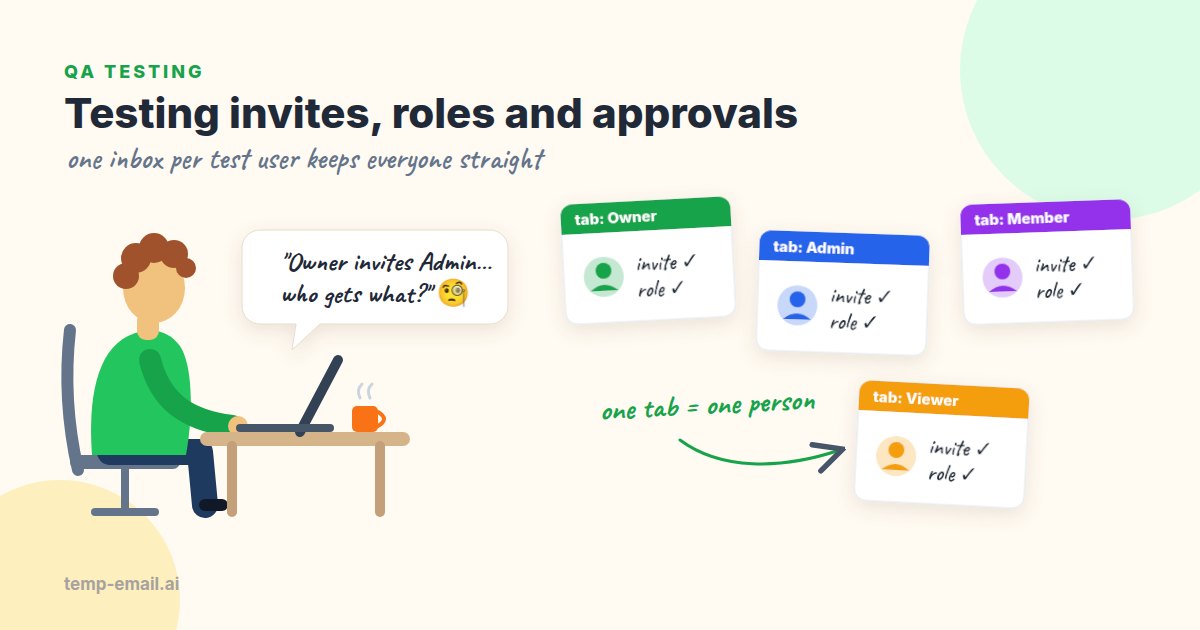
Say your team is building a project tracker. A workspace has an owner, a couple of admins, members who do the work, and viewers (clients or auditors) who should only look. Each role sends and receives different emails: invites, "you're now an admin", "Jordan asked for edit access". Testing all of that with your own work address means pretending to be four people with one mailbox, and that's exactly where bugs slip through.
The fix is simple: give every test user a separate inbox. Below we cover the manual setup with real inboxes, a role matrix, the approval cases that break most often, and a Playwright script that drives the whole cast against a local mail catcher.
Why each test user needs their own inbox
Plus-addressing ([email protected]) looks like a shortcut, but every message lands in the same mailbox. When the admin's invite and the viewer's invite both show up in one place, you can't tell whether the app sent each one to the right person or sent both to everyone. Some apps also strip the plus part, so two "different" users quietly collapse into one account.
Separate inboxes make the question easy. If the viewer's inbox shows an invite that says "as an Admin", you found a bug. If the inbox of someone who was never invited shows anything at all, you found a worse one.
- One tab per inbox. Each new tab or private window on temp-email.ai gets its own random
@snapmailnow.comaddress. Mail appears live, so you can watch five inboxes side by side without refreshing. - A clean start every run. A new address has never been seen by your app, so "brand-new user" really means brand new.
- Long enough for a test cycle. Each inbox lasts 7 days, which covers a sprint's regression pass if you keep the tab or its link.
- Test accounts only. Anyone with an inbox link can read it, so keep these addresses on staging and test accounts, never on a production admin.
One detail trips people up: tabs share cookies. The inboxes are separate, but your app will think every tab is the same logged-in person. For the app side, use separate browser profiles, Firefox containers or private windows from different browsers, one per user.
Cast your test users
For most team products, five users cover the interesting cases. The fifth one, the outsider, is the one people forget, and it's the one that catches leaks.
Tab 1  Owner     creates the workspace, pays, can delete it
Tab 2  Admin     manages people and settings, can't delete the workspace
Tab 3  Member    creates and edits work
Tab 4  Viewer    reads and comments only (a client or an auditor)
Tab 5 Outsider never invited: should receive nothing, see nothingInvites: what to check
Invites look trivial until you list the ways they go wrong. Run these with the owner sending and each other tab receiving.
- The invite reaches only the invited address. Every other tab stays quiet.
- The email names the right workspace, inviter and role: "Dana invited you to Acme Design as a Viewer".
- The accept link works once. A second click shows a friendly "already accepted" page, not an error or a second membership.
- A revoked invite stops working, even though the email is still sitting in the inbox.
- An expired invite explains itself and offers a way to ask for a new one.
- "Resend" invalidates the old link, or at least clicking both links doesn't create two memberships.
- Inviting an address that already has an account adds the workspace to that account instead of starting a second sign-up.
- Letter case doesn't create a second person: inviting
Viewer@...and signing up asviewer@...is one user.
The nastiest invite bug we see is the wrong-session case. The admin is logged in and opens the viewer's invite link in the same browser, maybe because someone forwarded it. A careless app attaches the invite to whoever is logged in, so the admin quietly gains a second membership and the viewer never gets in. The right behavior is to refuse or ask "This invite is for viewer@..., switch accounts?". With labeled tabs and profiles you can reproduce it in ten seconds.
The role matrix
Write the matrix down before you test. It turns "check permissions" into small yes/no questions anyone on the team can run, and it doubles as documentation.
Action                      Owner   Admin   Member  Viewer
Invite people               yes     yes     no      no
Change someone's role       yes     yes*    no      no
Remove a member             yes     yes     no      no
Create and edit projects    yes     yes     yes     no
Comment                     yes     yes     yes     yes
See billing and invoices    yes     no      no      no
Export all data             yes     yes     no      no
Delete the workspace        yes     no      no      no

* an admin can't make anyone Owner or demote the Owner
Check every "no" twice: once in the UI (the button is hidden or disabled) and once by calling the action directly, for example by replaying the request from your browser's DevTools while logged in as the viewer. A hidden button is cosmetic; the server has to say no. There's a reason OWASP ranks broken access control as the top web application risk.
Emails the matrix triggers
Role changes send mail too, and each message has exactly one right audience:
- Promoted or demoted: the affected user gets a short note with the new role. Nobody else does.
- Removed from the workspace: the removed user is told, and their old invite and share links stop working.
- Ownership transfer: both the old and the new owner get an email, and nothing changes until the new owner accepts.
- Billing mail (receipts, failed payments) goes to the owner or billing contact only. An invoice in the viewer's tab is a data leak.
Approvals: request, approve, deny
Approval flows add a twist: the email asks someone to act, and the action happens through a link. Say the viewer clicks "Request edit access". The owner and the admin should each get "Jordan asked for edit access to Q4 Roadmap" with Approve and Deny buttons. Here's what breaks:
- Only approvers get the request. The member's and the outsider's inboxes stay empty.
- The Approve link requires the approver to be logged in as themselves. A link that approves on click, with no session, lets anyone who sees the email approve it.
- Two approvers act within seconds of each other. The requester gets one result email, not two, and the audit log shows who acted first.
- One admin approves and another denies. The second person sees "already approved by Sam" instead of silently flipping the result.
- An approver is removed from the workspace before clicking. Their old link no longer works.
- The requester gets a clear result either way. A denial with no email leaves people refreshing the page for days.
Worked example: a manual invite pass in 15 minutes
Run this pass on staging, where your app sends through its real email provider. It's the only version of the test that proves invites actually arrive in a real mailbox on a real domain.
- Open five tabs on temp-email.ai and label them Owner, Admin, Member, Viewer and Outsider. Open your app in five separate browser profiles, one per user.
- Sign up the owner with tab 1's address and confirm the verification email. Our email verification testing guide lists what to check in that message.
- As the owner, invite tabs 2, 3 and 4 with their roles. Each invite should appear in the right tab within a minute, and tab 5 should stay empty.
- Accept each invite from its own profile. The welcome screen should show the right workspace and role.
- Walk the matrix as each user and mark every cell pass or fail.
- As the viewer, request edit access. Approve it from the admin's profile, then send a second request and deny it from the owner's. Read both result emails in tab 4.
- Finally, open the viewer's old invite link in the admin's profile. The app should refuse or ask to switch accounts.
Worked example: automating the cast with Playwright
Once the manual pass is stable, automate the parts that break most: invites reaching the right person, roles that stick, and the wrong-session case. Playwright suits this well because each browser.newContext() gets its own cookies and storage (browser contexts in the Playwright docs), so one test can drive several users at once.
For automated runs, swap the real inboxes for a local mail catcher. Mailpit is a small, free SMTP server that accepts every email your app sends and shows it in a web UI and a REST API, without delivering anything anywhere. Start it with docker run -d -p 8025:8025 -p 1025:1025 axllent/mailpit and point your app's test config at SMTP host localhost, port 1025.
Mailpit accepts any address, so each test user gets a brand-new one on example.test. The .test domain is reserved for testing by RFC 2606, so a misconfigured environment can never email a real person. The helpers read mail through Mailpit's API: GET /api/v1/search finds messages with its search filters, and GET /api/v1/message/{ID} returns the full text and HTML.
// tests/helpers/mailpit.ts
import { expect, type APIRequestContext } from '@playwright/test';
const MAILPIT = process.env.MAILPIT_URL ?? 'http://localhost:8025';
interface Address { Name: string; Address: string }
interface Summary { ID: string; Subject: string; To: Address[] }
export interface Message extends Summary { From: Address; Text: string; HTML: string }
// A brand-new address per test user, so runs never read each other's mail.
export function uniqueAddress(role: string): string {
return `${role}-${Date.now()}-${Math.random().toString(36).slice(2, 8)}@example.test`;
}
// Mail sent to exactly this address. Mailpit's to: filter also matches
// partial addresses, so we compare the full address ourselves.
export async function inbox(request: APIRequestContext, address: string): Promise<Summary[]> {
const res = await request.get(`${MAILPIT}/api/v1/search`, { params: { query: `to:"${address}"` } });
expect(res.ok(), `Mailpit search returned HTTP ${res.status()}`).toBeTruthy();
const { messages } = (await res.json()) as { messages: Summary[] };
return messages.filter((m) => m.To.some((t) => t.Address.toLowerCase() === address.toLowerCase()));
}
export async function waitForEmail(
request: APIRequestContext, address: string, subject: RegExp, timeout = 30_000,
): Promise<Message> {
let id = '';
await expect
.poll(async () => (id = (await inbox(request, address)).find((m) => subject.test(m.Subject))?.ID ?? ''), {
message: `No email matching ${subject} reached ${address}`,
timeout,
})
.not.toBe('');
return (await request.get(`${MAILPIT}/api/v1/message/${id}`)).json();
}
export function linkFrom(email: Message, pathPart: string): string {
for (const m of email.HTML.matchAll(/href="([^"]+)"/g)) {
const href = m[1].replace(/&/g, '&');
if (href.includes(pathPart)) return href;
}
throw new Error(`No link containing "${pathPart}" in "${email.Subject}"`);
}Next, two small helpers for your app. The selectors and URLs are placeholders; swap in your own.
// tests/helpers/app.ts
import { expect, type APIRequestContext, type Page } from '@playwright/test';
import { waitForEmail, linkFrom } from './mailpit';

export const APP = process.env.APP_URL ?? 'http://localhost:3000';

export async function signUpAndVerify(page: Page, request: APIRequestContext, address: string) {
  await page.goto(`${APP}/signup`);
  await page.getByLabel('Email').fill(address);
  await page.getByLabel('Password').fill('Owner-Test-123!');
  await page.getByRole('button', { name: 'Create account' }).click();
  const mail = await waitForEmail(request, address, /confirm your email/i);
  await page.goto(linkFrom(mail, '/verify'));
  await expect(page.getByText('Email confirmed')).toBeVisible();
}

export async function acceptInvite(page: Page, inviteUrl: string, password: string) {
  await page.goto(inviteUrl);
  await page.getByLabel('Password').fill(password);
  await page.getByRole('button', { name: 'Join workspace' }).click();
}
Now the test. It makes four unique addresses, signs up the owner, sends two invites, checks that each person got the right one and the outsider got nothing, and confirms the app refuses the wrong-session case.
// tests/workspace-invites.spec.ts
import { test, expect } from '@playwright/test';
import { uniqueAddress, inbox, waitForEmail, linkFrom } from './helpers/mailpit';
import { APP, signUpAndVerify, acceptInvite } from './helpers/app';

test('invites reach the right person with the right role', async ({ browser, request }) => {
  const [ownerAddr, adminAddr, viewerAddr, outsiderAddr] =
    ['owner', 'admin', 'viewer', 'outsider'].map(uniqueAddress);

  // One isolated context per user: separate cookies, like separate people.
  const owner = await (await browser.newContext()).newPage();
  await signUpAndVerify(owner, request, ownerAddr);

  await owner.goto(`${APP}/settings/members`);
  for (const [addr, role] of [[adminAddr, 'Admin'], [viewerAddr, 'Viewer']]) {
    await owner.getByLabel('Email address').fill(addr);
    await owner.getByLabel('Role').selectOption(role);
    await owner.getByRole('button', { name: 'Send invite' }).click();
  }

  const adminInvite = await waitForEmail(request, adminAddr, /invited you/i);
  const viewerInvite = await waitForEmail(request, viewerAddr, /invited you/i);
  expect(adminInvite.Text).toContain('as an Admin');
  expect(viewerInvite.Text).toContain('as a Viewer');
  expect(await inbox(request, outsiderAddr)).toHaveLength(0); // never invited

  const admin = await (await browser.newContext()).newPage();
  await acceptInvite(admin, linkFrom(adminInvite, '/invite/'), 'Admin-Test-123!');

  // Wrong-session case: the logged-in admin opens the viewer's link.
  await admin.goto(linkFrom(viewerInvite, '/invite/'));
  await expect(admin.getByText(/this invite is for/i)).toBeVisible();

  const viewer = await (await browser.newContext()).newPage();
  await acceptInvite(viewer, linkFrom(viewerInvite, '/invite/'), 'Viewer-Test-123!');
  await expect(viewer.getByRole('button', { name: 'New project' })).toHaveCount(0);
});
Mailpit takes mail in milliseconds, so the whole test runs in a few seconds and fits on every pull request. Unique addresses also mean parallel workers never read each other's mail, and there's nothing to clean up between runs. Mailpit keeps the newest 500 messages by default and drops older ones on its own.
What Mailpit can't tell you is whether the invites survive the trip through your real email provider, DNS and spam filters. That's the job of the manual pass with real inboxes, run on staging before a release. Together the two cover both questions: "does the app send the right email to the right person?" and "does it actually arrive?". For more patterns, see our Playwright email testing guide.
Common multi-user bugs we see
- The invite goes to the inviter instead of the invitee (two swapped variables in the mailer).
- The role in the email doesn't match the role granted: "as an Admin" in the email, Member in the app.
- Accepting an invite while logged in as someone else attaches it to the wrong account.
- Viewers can call write endpoints directly even though the buttons are hidden.
- Billing and security emails go to every admin instead of the owner.
- Approve links work without a login, or a link scanner can trigger them.
Before you close the tabs
Most of the work in multi-user testing is deciding who your users are and writing the matrix down. After that, a row of labeled tabs and a few browser profiles give you a realistic team in minutes, and a Playwright test with Mailpit keeps checking it on every build.
When you're ready for the manual pass, our disposable inbox for testing page has an address waiting. And if your product charges money, testing sign-up through payment is a natural next step. Happy testing!